


100 PICS Quiz - Logo & Trivia
4.118.44K Reviews
App Specs
- Version
- 1.12.9.1
- Updated On
- License
- Free
- Downloads
- 10,000,000+
- Developer
- Poptacular
- Categories
- Trivia
- Platform
- Android
Screenshots

 Analysis by AppCompare
I’d decide whether this game suits me by asking one simple question: do I enjoy recognizing a picture as much as answering a conventional trivia question? 100 PICS Quiz is built around visual clues, so it feels different from a quiz that mainly tests dates, names, or facts. I like that distinction, but it matters: if I want detailed explanations after every answer, this isn’t the kind of trivia experience I’d choose first.
It is a free trivia game from Poptacular, with optional in-app purchases ranging from $0.99 to $129.99 per item. That makes it easy to try without paying upfront, while hint-related decisions can make spending feel tempting when I’m stuck. I’d start by playing without buying anything and see whether the pace and guessing style work for me before considering a purchase.
A visual quiz works best in short bursts
The picture format is especially handy when I have only a few spare minutes. I can open a category, make a few guesses, and stop without needing to follow a long story or remember where I left off in a complex challenge. On a commute, during a quiet break, or while waiting for someone, that low-commitment rhythm is a real strength.
It also changes how I play with other people. Instead of asking everyone to recall obscure facts, I can show a picture and let the group argue over what it might be. Someone may recognize a logo immediately while another person spots a place or movie reference. That makes it a natural fit for casual family play, though it works best when everyone enjoys guessing aloud rather than taking turns in silence.
What the picture format asks of you
Recognizing an image is not the same as knowing an answer in a standard knowledge quiz. A blurry picture can make a familiar subject surprisingly hard to name, and sometimes I may know what I’m looking at but not recall the exact wording the game expects. I treat that as part of the puzzle, but it can feel less satisfying than a question where the clue is clear and the answer is unambiguous.
That is also why this game may not be the best pick for someone who wants a focused subject course, carefully explained facts, or a serious head-to-head contest. Its appeal is breadth and recognition, not a deep lesson in one topic. If I’m trying to study a particular subject, I’d choose a dedicated learning app; if I want a broad mix of visual prompts, this is closer to what I’m after.
What’s the Buzz About?
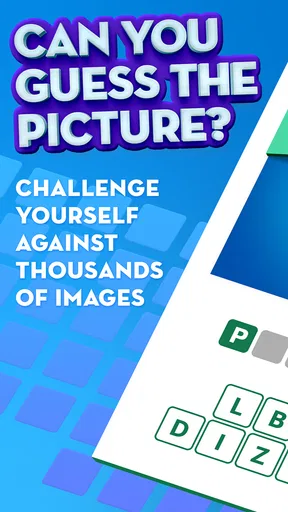
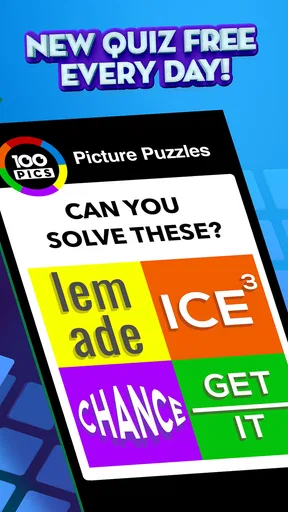
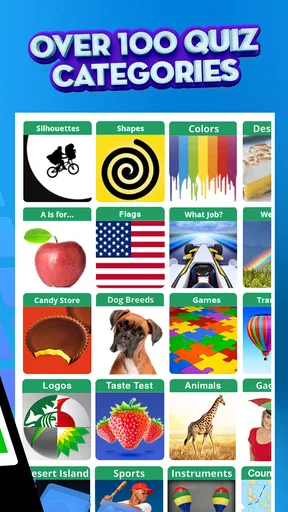
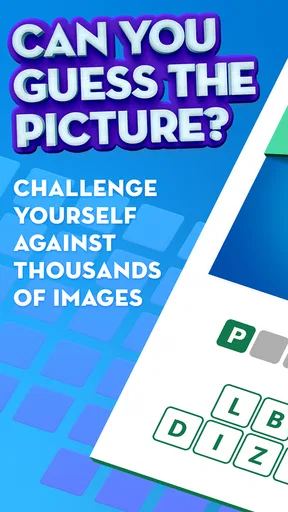
Let's dive right in. 100 PICS Quiz is a trivia game that challenges you to identify images across a wide variety of categories. From logos to famous places, this app covers a lot of ground. It’s like having a Swiss army knife of quizzes right in your pocket. I found myself getting lost in the sheer number of categories—there are over 100, which means there's something for everyone.
Worth Reading Before You Choose

EA SPORTS FC Mobile 26 Is a Bigger Football Game, but It Takes Time

Flipboard Shows What News Apps Must Do Beyond the Feed

Switching to Android Auto Means Rethinking Your Driving Routine

Google Calendar Makes a Crowded Week Easier to Manage

Ludo King Makes the Most of the Minutes Between Plans

Baby Panda World Brings Quick Play to Modern Phones, but Its Game Library Feels Busy
The Gameplay Experience
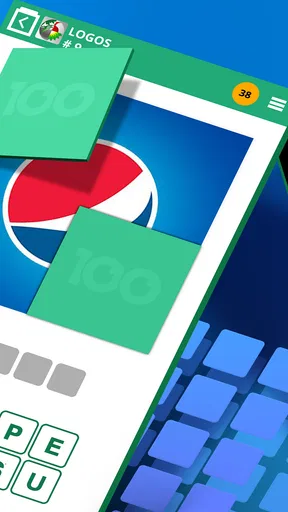
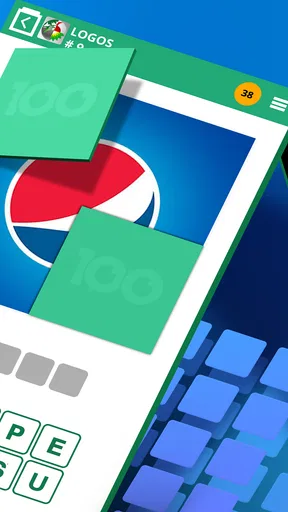
So, how does it work? Each category has 100 pictures, and your job is to guess what they are. Sounds simple, right? But don’t be fooled; it can get surprisingly tricky. The images start off blurry and gradually become clearer as you progress or spend in-game coins. It's a neat little feature that adds an extra layer of challenge. I found myself often debating whether to save my coins or splurge for a hint.
One thing I love is the competitive edge. You can play with friends or go solo, challenging yourself to beat your previous scores. It’s like having a mini Olympics of trivia right on your phone. Plus, the app is constantly updated with new packs, so it never feels stale.
The Gameplay Has a Distinct Rhythm
The progressive reveal gives me a useful choice at each difficult picture: make another guess from the clue I have, or use coins to see more. I find it more satisfying to pause and scan the visible shapes before spending anything. Looking for a distinctive color, a letter fragment, or the outline of an object can turn a lucky guess into a reasoned one. If I’m playing with friends, I’ll ask everyone to say what they notice before revealing more; that keeps the discussion lively without making the hint decision automatic.
There is a trade-off, though. When I’m tired or unfamiliar with a category, the same obscured image can feel like a wall rather than a clever clue. I wouldn’t spend coins just to rush through every picture: saving them for a genuinely stuck moment makes the choice feel meaningful. Players who dislike hint economies or want every puzzle to be solvable from a clear prompt may find this mechanic irritating rather than engaging.
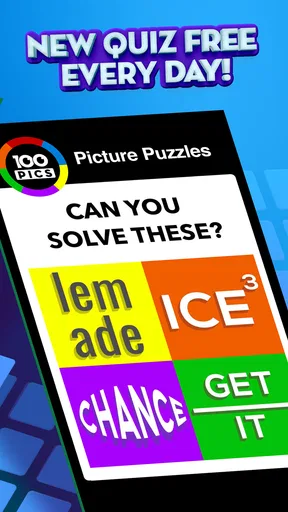
The category variety is useful for choosing the mood of a session. I can go for familiar logos when I want quick recognition, or try themes such as flags, movies, riddles, and general trivia when I want a different kind of recall. A practical approach is to switch categories when one becomes frustrating instead of forcing progress through it. That keeps a short break playful and lets different people in a group contribute their strengths.
Design and Usability
The design of the app is straightforward and user-friendly. It’s not cluttered, which is a big win in my books. You can easily navigate through categories and find what you’re looking for without any fuss. The colors are bright and engaging, keeping you hooked and making the experience more enjoyable.
What’s more, the app runs smoothly on both Android and iOS. I didn’t encounter any glitches or crashes, which is always a relief. It’s pretty lightweight, so it won’t hog your phone’s resources either.
Worth Trying Before You Commit
The game is free to start, and its Everyone age rating makes it an easy option to consider for a mixed-age household. I’d still expect the fun to depend on the categories people recognize: younger players may enjoy guessing pictures, but a logo or film reference can be much easier for someone who has seen it before. For a family session, I’d take turns choosing categories so one person’s interests don’t dominate.
It has been available since March 11, 2014, and its current version is 1.12.8.3. The broad appeal is reflected in an average rating of 4.2 from around 147,000 ratings, with about 18,000 written reviews and over 10 million installs. Those figures suggest that the format has found a large audience, but they don’t guarantee that every image or category will suit my taste; I’d judge it by a few rounds rather than popularity alone.
For a casual picture quiz, I’d compare it with two familiar alternatives: conventional multiple-choice trivia and single-topic quiz apps. Multiple-choice games are better when I want a clear question and a quick fact-based answer. A topic-specific app is better when I want to concentrate on one subject. This game stands out when I want variety and visual recognition, especially when I’m sharing the screen with someone nearby. The best choice depends less on which format is “better” and more on whether I’m in the mood to look, remember, and guess.
Switching away is easy if the visual clues aren’t for me, but I’d give the game a fair test across more than one category first. A single difficult pack can make the whole experience seem tougher than it is, while an especially familiar theme can make it feel unusually easy. I’d try a few pictures in different themes, avoid spending coins just to get through them, and notice whether I’m enjoying the act of solving. If I keep opening it for another quick round, that’s a better sign than finishing a pack out of stubbornness.
Why You Should Try It
So, why should you give 100 PICS Quiz a shot? If you love a good challenge and enjoy learning new things, this app is right up your alley. It’s a fun way to pass the time, whether you’re on a commute or just lounging at home. Plus, it’s a great way to flex your brain muscles.
Another perk is the social aspect. You can connect with friends and family, turning it into a fun game night activity. It’s competitive but in a friendly way. Trust me, it’s a lot of fun to see who can guess faster or get the higher score.
I’d recommend it most to people who enjoy visual puzzles, like moving between subjects, and don’t mind occasionally sitting with an unclear clue. It is less suited to players who need detailed explanations, dislike using in-game hints, or want a strict quiz format with consistently precise questions. That’s a meaningful distinction, not a small preference: it determines whether the gradual reveal feels like part of the fun or an obstacle between you and the answer.
Final Thoughts
All in all, 100 PICS Quiz is a delightful app that brings a lot to the table. Whether you’re a trivia novice or a seasoned pro, there’s something here for everyone. It’s engaging, challenging, and most importantly, tons of fun. So, what are you waiting for? Dive in and start guessing those pics!
My practical recommendation is to treat it as a flexible, low-pressure guessing game rather than a replacement for every kind of trivia. Start with a theme you already enjoy, switch when the pictures stop feeling fair, and save coins for clues that genuinely have you stumped. If that balance suits you, it can make an ordinary wait or a relaxed evening more entertaining; if you mainly want precise questions and explanations, another quiz style will probably fit better.
Pros
- Extensive variety of quiz categories.
- Simple and intuitive interface.
- Frequent updates with new content.
- Offline mode available for travel play.
- Engaging and educational gameplay.
Cons
- Ads can be intrusive at times.
- Limited hints for difficult questions.
- Some logos are outdated.
- Requires internet for leaderboard access.
- In-app purchases can be pricey.
FAQs for 100 PICS Quiz - Logo & Trivia
What is 100 PICS Quiz - Logo & Trivia about?
100 PICS Quiz - Logo & Trivia is a popular mobile game that challenges players with a variety of picture puzzles. It features logos, trivia questions, and other image-based quizzes that test your knowledge across different categories. The game includes numerous levels, each with increasing difficulty, making it both entertaining and educational.
Is 100 PICS Quiz - Logo & Trivia free to play?
Yes, 100 PICS Quiz - Logo & Trivia is free to download and play on both Android and iOS platforms. However, the game may offer in-app purchases which can enhance the gaming experience, such as unlocking new levels, removing ads, or buying hints to assist in solving challenging puzzles.
How can I progress through levels in 100 PICS Quiz?
Progressing through levels in 100 PICS Quiz involves correctly guessing the images presented in each quiz. As you solve each puzzle, you earn points that unlock subsequent levels. If you find a level particularly challenging, you can use hints, which can be acquired through gameplay or purchased via in-app transactions.
Are there any social features in 100 PICS Quiz?
Yes, 100 PICS Quiz includes social features that allow you to connect with friends. You can challenge them to beat your scores or collaborate to solve difficult quizzes. Additionally, you can share your achievements on social media platforms to showcase your progress and engage with a community of fellow players.
Does 100 PICS Quiz require an internet connection?
100 PICS Quiz can be played offline, making it a convenient choice for on-the-go gaming. However, some features, such as accessing new content updates or social sharing options, may require an internet connection. Ensure you have data access or Wi-Fi when attempting to utilize these online functionalities.


